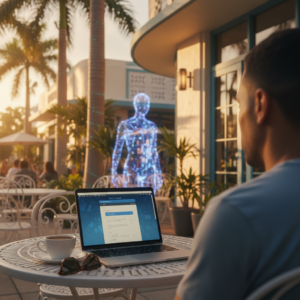
If you are reading this from your apartment in Brooklyn or your home office in Westchester, take a quick look at your Wi-Fi list. How many networks can you see? In New York’s dense living environments, it’s not uncommon to see twenty or thirty diverse signals—from “Linksys5G” to the coffee shop downstairs.
For remote professionals, this density represents a unique challenge. While the corporate office has enterprise-grade firewalls and a dedicated security team down the hall, your home office is likely running on a standard residential router provided by your ISP. You might be handling sensitive client financial data or proprietary company information on the same network where your smart TV is streaming and your neighbor’s Wi-Fi is bleeding into your signal range.
The shift to remote and hybrid work has been permanent for many New Yorkers, but our home security habits haven’t caught up. Hackers know this. They know that the easiest way into a fortified company network isn’t through the front door—it’s through the remote worker’s unpatched router. This guide explores the specific risks facing New York professionals and how to secure your workspace without needing a full-time IT department.
The Hidden Risks Most Remote Workers Ignore
Many professionals assume that because they use a company laptop, they are safe. However, the environment around that laptop matters just as much as the device itself. Here are the vulnerabilities that often go unnoticed until it’s too late.
The “Shared Airwaves” Problem
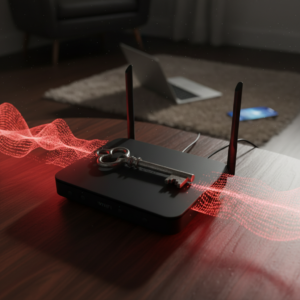
In dense urban areas like NYC, Wi-Fi interference is rampant. But beyond connection drops, there is a security risk. If you are still using an older router with outdated encryption (like WEP or WPA), it is surprisingly easy for someone nearby to intercept your traffic. Furthermore, many remote workers in co-op buildings or shared apartments accidentally stay connected to “open” or shared networks (like a building-wide amenity Wi-Fi) while doing sensitive work, assuming their VPN covers everything. It often doesn’t.
VPN Misconceptions
A Virtual Private Network (VPN) is essential, but it is not a magic shield. A common mistake is assuming that once the VPN is on, you can click anything safely.
- The Risk: A VPN encrypts your traffic, but it does not stop you from downloading a malicious file or entering your credentials into a fake login page.
- The Reality: If your device is already compromised with malware (perhaps from a personal browsing session), the VPN just creates a secure tunnel for that malware to communicate with your company’s server.
The Device Mixture Danger
In a typical home office, the lines blur. You might check your personal email on your work laptop or let your child print homework from your office printer.
- Lateral Movement: Cybercriminals often target low-security devices—like a smart thermostat or a gaming console—to gain a foothold on your network. Once inside, they move laterally to find the high-value target: your work computer. If your work laptop isn’t isolated from your personal devices, it is exposed to every risk your personal devices encounter.
Browser-Based Attacks and Phishing
Phishing emails have evolved. They no longer look like obvious scams from foreign princes. They look like legitimate notifications from Microsoft Teams, Zoom, or DocuSign. Because remote workers live in these apps, they are more likely to click without thinking. Additionally, “drive-by downloads” can infect your machine simply by visiting a compromised website, even legitimate ones that have been hacked.
Quick Home Cybersecurity Checklist
You don’t need to be a cybersecurity engineer to harden your home defenses. Start with these fundamental steps to significantly reduce your risk profile.
- Audit Your Router: Log into your router’s admin panel. Change the default password (often printed on the sticker) immediately. Ensure your encryption is set to WPA2-AES or WPA3.
- Separate Your Networks: Most modern routers allow you to create a “Guest Network.” Connect all your smart home devices (TVs, speakers, fridges) and personal phones to the Guest Network. Keep your work computer on the main network. This creates a digital wall between your sensitive work data and your smart toaster.
- Enable Automatic Updates: Software vulnerabilities are patched constantly. Ensure your operating system (Windows/macOS), browser, and antivirus software are set to update automatically.
- Verify Your Firewall: Check that the firewall on your computer is actually turned on. It acts as a gatekeeper, blocking unauthorized traffic from entering or leaving your device.
- Practice “Zero Trust” with Email: If an email asks you to log in or download an attachment, verify it through a second channel (like a quick Slack message to your colleague) before clicking.
Need a Second Pair of Eyes on Your Setup?
Unsure if your router is configured correctly or if your firewall is active? Zircon Technovatives offers a Remote Security Review. We can scan your configuration for vulnerabilities and help you close the gaps.
When Remote Tech Support Makes the Biggest Difference
For freelancers, consultants, and hybrid employees, the biggest hurdle to security is usually time and expertise. You are an expert in your field, not in configuring network ports.
Trying to DIY your cybersecurity often leads to “configuration drift”—settings get changed to make a printer work, updates get ignored because they are annoying, and slowly, your security posture degrades.
This is where professional remote support bridges the gap. You don’t need a full-time IT guy sitting in your living room. You need targeted, expert configuration.
How Remote Support Helps:
- Correct Configuration: We ensure your router and devices are set up with security best practices, not just “out of the box” defaults.
- Safe Remote Access: If you need to access files on a different computer or server, we help you set up secure, encrypted protocols rather than leaving dangerous ports open to the internet.
- Objective Auditing: Sometimes you just need an expert to look at your list of connected devices and identify which ones are potential risks.
Zircon Technovatives provides this layer of professional expertise for New York’s remote workforce. We help you build a “defense-in-depth” strategy that fits your specific home setup, ensuring you can work with confidence.
Ready to Secure Your Home Office?
Don’t wait for a data breach to take action. Contact Zircon Technovatives today to schedule a consultation and let us help you secure your remote work environment effectively.