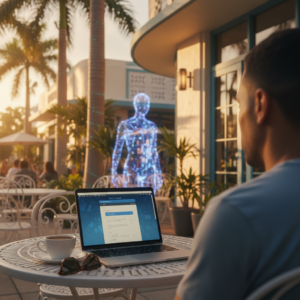
If you’re running a business in Los Angeles, you already know the landscape is shifting faster than the traffic on the 405. From Santa Monica startups to established law firms in Downtown LA, the pressure to stay competitive is intense. But as we head into 2026, technology isn’t just a tool to keep the lights on—it’s the engine driving your growth, security, and efficiency.
Unfortunately, for many small to mid-sized businesses, IT has become a source of stress rather than strength. Are you worried about the next ransomware attack? Struggling with hybrid work setups that just don’t sync? Or maybe you’re shocked by the skyrocketing salary demands for hiring just one internal IT manager.
You aren’t alone. The complexities of cybersecurity threats, rising compliance pressures, and the cost of downtime are keeping business owners awake at night. This is where partnering with the right provider for managed IT services in Los Angeles changes the game—especially when you can access help from anywhere, thanks to high-quality remote support.
In this guide, we’ll break down exactly what you should expect from a top-tier remote IT partner in 2026, why the “break-fix” model is dead, and how the right support can turn your technology into your biggest competitive advantage.
What Are Managed IT Services?
For non-technical business owners, the term “Managed IT Services” might sound like corporate jargon. Let’s simplify it.
Imagine owning a car. In the old days, you drove it until it broke down, then paid a mechanic a huge sum to fix it while you were stranded without a vehicle. That’s the “break-fix” model.
Managed IT services are like having a pit crew that monitors your car continually while you drive. They check the oil, rotate the tires, and fix engine blips before the check engine light ever comes on—all for a flat monthly fee.
A managed IT services provider (MSP) takes responsibility for the health of your IT infrastructure. With remote capabilities, they don’t just fix computers when they break; they actively monitor and manage your network, servers, security, and cloud systems to prevent issues—no matter where your employees are working.
The Shift from Break-Fix to Managed IT
The traditional break-fix model—calling an IT guy only when the server crashes—is risky and expensive in 2026.
- Break-Fix: Unpredictable costs, longer downtime, zero proactive security.
- Managed IT: Predictable monthly budget, minimized downtime, proactive threat hunting.
For a fast-moving LA business, waiting for something to break is no longer an option. You need proactive IT management that keeps you moving forward—and remote service providers make this possible with fewer delays.
Why Los Angeles Businesses Need Managed IT Services in 2026
Los Angeles is a unique business environment. We have a dense concentration of media, healthcare, legal, and finance sectors—all prime targets for cybercrime. Here is why investing in managed IT services in Los Angeles, CA is critical for 2026.
1. Escalating Cybercrime Trends
Cybercriminals are getting smarter. They are no longer just targeting massive corporations; they are targeting small local businesses because they know your defenses are likely weaker. Ransomware attacks, phishing schemes, and data breaches are prevalent. IT managed services provider Los Angeles experts utilize enterprise-grade security tools that small businesses typically can’t afford on their own.
2. The High Cost of Internal IT Talent
Have you tried hiring an in-house IT tech in Los Angeles recently? The salaries are astronomical. By the time you pay for a salary, benefits, training, and equipment, you’re looking at a six-figure investment for one person. And that one person takes vacations, gets sick, and can’t work continually. Outsourcing gives you remote access to an entire team of experts for a fraction of the cost of one internal hire.
3. Compliance Is Non-Negotiable
If you are in healthcare (HIPAA), finance (SEC/FINRA), or law, regulatory compliance is stricter than ever. One slip-up can lead to massive fines. Remote managed IT support services Los Angeles providers understand California’s specific data privacy laws (like CPRA) and ensure your infrastructure meets these rigorous standards, all without needing to step foot onsite.
4. Supporting the Hybrid Workforce
Whether your team is in a WeWork in Culver City or working remotely from the Valley, your data needs to be accessible and secure everywhere. The “office” is now digital. Managing this decentralized setup requires sophisticated cloud management and remote IT support capabilities, perfectly suited to a remote-only IT service provider.
Is your current IT strategy holding you back? Don’t wait for a crash.
Get a Free IT Assessment for Your Los Angeles Business
What Businesses Should Expect from a Managed IT Services Provider in Los Angeles
So, what does a contract actually look like? In 2026, a remote provider offering managed IT services in Los Angeles should deliver a comprehensive suite of services. If your current provider isn’t offering these, you are underserved.
Remote System Monitoring & Support
Cyber threats don’t sleep, and neither should your defenses. Your MSP should use remote monitoring tools to watch your systems at all times. If a server spikes in temperature at 3 AM or there’s a suspicious login attempt, they’re alerted instantly and can resolve the issue—no physical visit required.
Cybersecurity & Ransomware Protection
Basic antivirus isn’t enough. You need:
- Endpoint Detection and Response (EDR)
- Multi-Factor Authentication (MFA) management
- Email filtering for phishing
- Regular vulnerability assessments
All of this can be managed and monitored remotely to keep your business secure.
Cloud & Microsoft 365 Support
Most LA businesses run on the cloud. Whether it’s Azure, AWS, or Microsoft 365, your provider manages licenses, secures your cloud environment, and ensures seamless migration—all handled remotely. Need help optimizing your SharePoint or Teams setup? This falls under managed IT support Los Angeles, delivered quickly and efficiently online.
Backup & Disaster Recovery (BDR)
What happens if your office floods or you get hit with ransomware? A robust BDR plan ensures your data is backed up frequently (both locally and in the cloud) and can be restored in hours, not days. With remote support, restoring your business operations is faster and less dependent on physical site visits.
Strategic IT Planning (vCIO)
You shouldn’t just talk to your IT partners when something breaks. A true remote MSP offers “Virtual CIO” services. They meet with you online, review your business goals, budget for upcoming hardware replacements, and strategize on how technology can increase your revenue.
Managed IT Services vs. Outsourced IT Support in Los Angeles
Business owners often use these terms interchangeably, but there is a nuance. While managed IT services implies a comprehensive, ongoing partnership, outsourced IT support can sometimes refer to specific, project-based help.
Here is a quick comparison to help you decide what fits your needs:
| Feature | Managed IT Services | Traditional Outsourced IT (Break-Fix) |
| Cost Model | Flat monthly fee (Predictable) | Hourly rates (Unpredictable) |
| Response | Proactive (Prevents issues) | Reactive (Fixes after breaking) |
| Support | Unlimited remote helpdesk | Pay-per-ticket / hourly billing |
| Security | Included comprehensive stack | Usually an add-on or basic only |
| Relationship | Strategic Partner | Vendor / Contractor |
When to choose Managed IT: You have 10+ employees, handle sensitive data, and cannot afford downtime.
When to choose Outsourced Break-Fix: You are a solopreneur with one laptop and very minimal complexity.
Managed IT Support for Small Businesses in Los Angeles
For small businesses specifically, the leap to managed services can feel like a big financial commitment. However, when you analyze the ROI, it’s a cost-saving measure.
Cost Control & Predictability
Cash flow is king for small businesses. Small business IT support Los Angeles via a managed model eliminates the shock of unexpected $5,000 repair bills. You pay a fixed rate per user or per device. You know exactly what your IT spend will be in January and in December.
Scalability
Did you just land a big contract and need to onboard 5 new employees next week? An MSP can remotely provision their laptops, set up their emails, and grant security access instantly. If you need to downsize, you scale back your licenses just as easily.
Faster Response Times
When you rely on a “computer guy” who has 50 other clients and works alone, you wait in line. Managed service providers have dedicated remote helpdesk teams. When you call or submit a ticket, you get assistance directly without waiting for someone to drive across town.
Focusing on Core Business
You are an expert in law, real estate, or manufacturing—not firewalls. Every minute you spend troubleshooting a printer is a minute you aren’t generating revenue. Outsourced IT support Los Angeles gives you your time back.
How to Choose the Right IT Managed Services Provider in Los Angeles
Not all MSPs are created equal. The market is flooded with providers, but finding one that aligns with your specific needs takes due diligence. Here is a checklist for vetting your next remote partner.
1. Remote Support Expertise
With offices and employees working from multiple locations, it’s critical to work with a provider that specializes in efficient remote troubleshooting, monitoring, and system administration. Ask about their track record supporting distributed teams and resolving issues online.
2. Industry Experience
Does the provider understand your specific industry software? If you are a CPA firm, do they know QuickBooks and CCH Axcess? If you are in healthcare, are they HIPAA certified? Ask for case studies relevant to your sector.
3. Transparent Pricing
Avoid providers who hide fees. The contract should clearly state what is included (such as remote support hours, after-hours support, and coverage for projects). A “low” base price often hides expensive add-ons.
4. Security-First Approach
In 2026, security cannot be an afterthought. If their proposal lists cybersecurity as an “optional add-on,” run the other way. It should be built into the foundation of their remote service offering.
5. SLAs & Remote Response Times
A Service Level Agreement (SLA) guarantees how quickly they must respond to your issues remotely. Look for an MSP that guarantees response times for critical issues (usually under 15-30 minutes).
Unsure if you’re getting the best deal?
Speak to a Managed IT Expert Today about auditing your current IT setup.
Frequently Asked Questions (FAQs)
How much do managed IT services cost in Los Angeles?
Pricing varies based on the complexity of your network and the number of users. Generally, you can expect to pay between $150 to $250 per user per month for a comprehensive remote support package. This usually covers licensing, security tools, and remote helpdesk services. While it may seem higher than “break-fix” hourly rates, it includes thousands of dollars worth of software and security tools.
Are managed IT services worth it for small businesses?
Absolutely. One ransomware attack can cost a small business over $100,000 in recovery costs and lost revenue. For a predictable monthly fee, small business IT support Los Angeles mitigates that risk and ensures your team stays productive. It is essentially insurance for your productivity.
What’s included in managed IT support services?
A standard agreement usually includes:
- Unlimited remote helpdesk support
- continual network monitoring
- Endpoint security (antivirus/anti-malware)
- Patch management and updates
- Data backup management
- Vendor management (they talk to your internet provider for you)
How fast is response time?
This depends on the severity of the issue. Critical, business-stopping issues typically see a remote response in under 15 minutes. Routine requests (like password resets) are often handled within the hour. Always check the Service Level Agreement (SLA) before signing.
Can I switch from my current IT provider?
Yes, and a good MSP makes it easy. They will handle the “offboarding” process with your old provider, gather all passwords and documentation, and deploy their tools seamlessly. This transition can be managed fully remotely, so you shouldn’t experience any downtime.
Do managed IT services include cybersecurity?
Yes. In today’s environment, IT management and cybersecurity are inseparable. Managed IT services in Los Angeles should include a robust security stack (firewall management, email security, EDR) as part of the core offering, managed remotely—not just as an upsell.
Secure Your Future with Proactive Remote IT Support
As we move through 2026, the technology demands on Los Angeles businesses will only increase. You cannot afford to let IT bottlenecks slow down your growth or let security gaps threaten your reputation.
Choosing the right partner for managed IT services in Los Angeles is an investment in stability. Remote IT support transforms your technology from a headache into a powerful asset that drives efficiency and profitability—no matter where your people are working.
Don’t wait for a crisis to realize you need better support. Take control of your technology today.
Ready to stop worrying about IT?
Call Now for Reliable IT Support in Los Angeles and schedule your free technology consultation. Let’s build a roadmap for your business’s success in 2026.