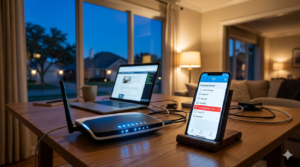

You are in the middle of a critical Zoom presentation for work, or perhaps you are finally relaxing with the latest streaming series premiere. Suddenly, the screen freezes. The dreaded buffering wheel spins, and your connection drops completely.
If you live in Los Angeles, this scenario is likely all too familiar. In a city driven by connectivity—from remote work in Silver Lake to smart homes in Santa Monica—an unstable internet connection isn’t just an annoyance; it is a major disruption to your daily life.
Many homeowners assume the problem lies strictly with their Internet Service Provider (ISP), but the reality is often more complex. While outages happen, consistent dropping usually points to internal factors within your home network. At Zircon Technovatives, we specialize in diagnosing these invisible issues remotely, helping you reclaim a stable connection without the need for a technician to step foot in your living room.
Here is why your Wi-Fi keeps disconnecting and what you can do about it.
The Los Angeles Factor: Why Location Matters
You might wonder why we are specifically talking about Los Angeles. While Wi-Fi works the same way everywhere, the environment here presents unique challenges.
LA is a mix of dense apartment living and sprawling historic properties. In dense neighborhoods like Downtown or West Hollywood, the sheer number of networks fighting for airspace is staggering. In older, Spanish-style homes or mid-century buildings, the construction materials often act as barriers to modern signals. Understanding your environment is the first step toward a solution.
The Real Causes of Disconnection
When your phone or laptop disconnects repeatedly, it is rarely “ghosts in the machine.” It is usually physics. Here are the most common culprits we see when providing remote support to our LA clients.
1. Wireless Interference and Channel Overcrowding
Think of Wi-Fi signals like traffic on the 405 freeway. If everyone tries to drive in the same lane, traffic stops.
In densely populated areas, your neighbors’ routers are likely broadcasting on the same frequency channels as yours. If you live in an apartment complex or a tightly packed neighborhood, your router is constantly shouting over dozens of other networks. This “noise” causes your device to lose track of your specific signal, resulting in a drop.
Other household devices contribute to this chaos as well. Baby monitors, microwaves, and cordless phones often operate on the 2.4 GHz frequency, creating significant interference every time they are used.
2. The “Thick Wall” Problem (Signal Attenuation)
Los Angeles is famous for its beautiful architecture, particularly homes built in the 1920s and 30s. However, these homes were not built with Wi-Fi in mind.
Many of these properties use lath and plaster walls, sometimes reinforced with wire mesh. To a Wi-Fi signal, wire mesh acts like a Faraday cage, blocking the signal almost entirely. Even thick stucco or concrete walls in modern lofts can severely dampen signal strength. If your router is in the living room, but you are trying to work in a bedroom separated by two plaster walls, your device will struggle to maintain a “handshake” with the router, leading to frequent disconnects.
3. Outdated Router Firmware or Hardware
Technology moves fast. If you are using the default router provided by your ISP three or four years ago, it may be struggling to keep up with modern demands.
Older routers often lack the processing power to handle the number of devices we connect today. Between smart TVs, tablets, phones, smart thermostats, and doorbell cameras, a standard household might have 20+ devices connected. An outdated router can overheat or simply run out of memory trying to manage this traffic, forcing it to drop connections to free up resources.
4. DHCP Lease Renewal Failures
This sounds technical, but it is a common software issue. When you connect to Wi-Fi, your router assigns your device an IP address for a specific period (a “lease”). When that time is up, your device asks to renew it.
If your router’s firmware is buggy or overloaded, it might fail to renew this lease instantly. The result? Your device gets kicked off the network and has to reconnect. This often looks like a random disconnection that fixes itself after a minute.
Actionable Solutions You Can Try
Before you spend hours on hold with your ISP, try these troubleshooting steps. These are the first things our remote technicians look for.
The Strategic Reboot
It is a cliché for a reason: it works. Unplug your modem and router for at least 60 seconds. This clears the cache memory and forces the device to re-scan for the best available channel when it boots back up.
Switch Your Frequency Band
Most modern routers are “dual-band,” meaning they broadcast two networks: 2.4 GHz and 5 GHz.
- 2.4 GHz: Travels through walls better but is slower and more prone to interference.
- 5 GHz: Faster and less crowded, but has a shorter range and struggles with thick walls.
If you are close to the router and experiencing drops, switch to the 5 GHz band. If you are in a back room with thick walls, the 2.4 GHz band might be more stable, even if it is slightly slower.
Check for Firmware Updates
Log into your router’s admin panel (usually via a web browser). Manufacturers frequently release updates that fix bugs and improve stability. If your router has been running the same software since 2019, an update could solve your dropping issue immediately.
Reposition Your Router
Do not hide your router in a cabinet or behind the TV. Metal and electronics block signals. Place your router in a central, elevated location. If you have a multi-story home, placing it on the second floor often provides better coverage for the whole house than placing it in the basement.
When to Call Zircon Technovatives
Sometimes, the issue goes beyond simple troubleshooting. If you have tried restarting, moving the router, and minimizing interference, but the drops continue, you likely have a configuration error or a network architecture problem.
This is where Zircon Technovatives shines.
We provide expert remote home tech support in Los Angeles. You do not need to wait around for a four-hour service window for a technician to arrive. We connect with you remotely to diagnose the root cause of your instability. We can:
- Analyze your network traffic to identify bottlenecks.
- Reconfigure router channels to avoid neighborhood congestion.
- Optimize your device settings for maximum stability.
- Recommend specific hardware upgrades tailored to your home’s layout.
We focus on getting you back online quickly and securely. Our dedicated team is available during standard business hours to ensure your home office or entertainment system runs smoothly when you need it most.
Conclusion
Reliable internet in Los Angeles isn’t a luxury; it’s a requirement. Don’t let interference, old hardware, or thick walls dictate your productivity. By understanding the real causes behind your connection drops, you can take control of your digital environment.
If the problem persists, don’t waste another afternoon frustrated with buffering. Reach out to the experts who can see what you can’t.
Ready to stabilize your connection? Contact Zircon Technovatives today for professional remote assistance.
Frequently Asked Questions (FAQs)
1. Why does my Wi-Fi keep disconnecting on all my devices?
If every device loses connection simultaneously, the issue is likely with the router itself or the modem, rather than a specific phone or laptop. This could indicate the router is overheating, the firmware is outdated, or there is an outage with your Internet Service Provider (ISP).
2. Can environmental factors in Los Angeles affect my Wi-Fi?
Absolutely. Many homes in LA, especially historic ones, have walls made of lath and plaster or reinforced concrete, which block signals. Additionally, the high density of housing in areas like West LA creates significant signal interference from neighbors’ networks.
3. How can I fix my Wi-Fi without replacing my router?
First, try a “power cycle” by unplugging the router for 60 seconds. You can also try moving the router to a central, open location away from other electronics. Changing the frequency channel in your router settings (from crowded channels to empty ones) is another effective fix that costs nothing.
4. What services does Zircon Technovatives offer for Wi-Fi troubleshooting?
We offer comprehensive remote diagnostics and repair. We can log in to your system securely to optimize router settings, update firmware, analyze interference levels, and configure your network for better stability—all without a home visit.
5. How do I know if I need professional tech support for my Wi-Fi issues?
If you have already restarted your equipment and checked for outages but the problem persists, you likely need professional help. Complex issues like IP address conflicts, DNS server errors, or deep configuration problems are best handled by experts to avoid worsening the issue.